What Should Enterprises Look for in a Modern Quality Management System?
How to find the features that matter most for an enterprise-grade eQMS
We want to make choosing a Quality Management System (QMS) simple, because it’s typically a complicated process.
You’ve got dozens of vendors claiming they’re cloud-native, AI-powered and industry-leading. Some of them are legacy systems with a fresh coat of digital paint while others are promising capabilities they won’t deliver for another 18 months.
Meanwhile, you’re stuck reconciling competing stakeholder demands. Quality wants comprehensive CAPA workflows. IT wants seamless ERP integration. Finance wants ROI yesterday. And your executive team just wants to know why you can’t use spreadsheets like you’ve been doing for the past decade.
So, we’ve put together this post to help you evaluate an enterprise-grade QMS based on what matters most, including the features that separate genuine transformation from expensive shelfware. We’ve also included a section on how to get started with a QMS.
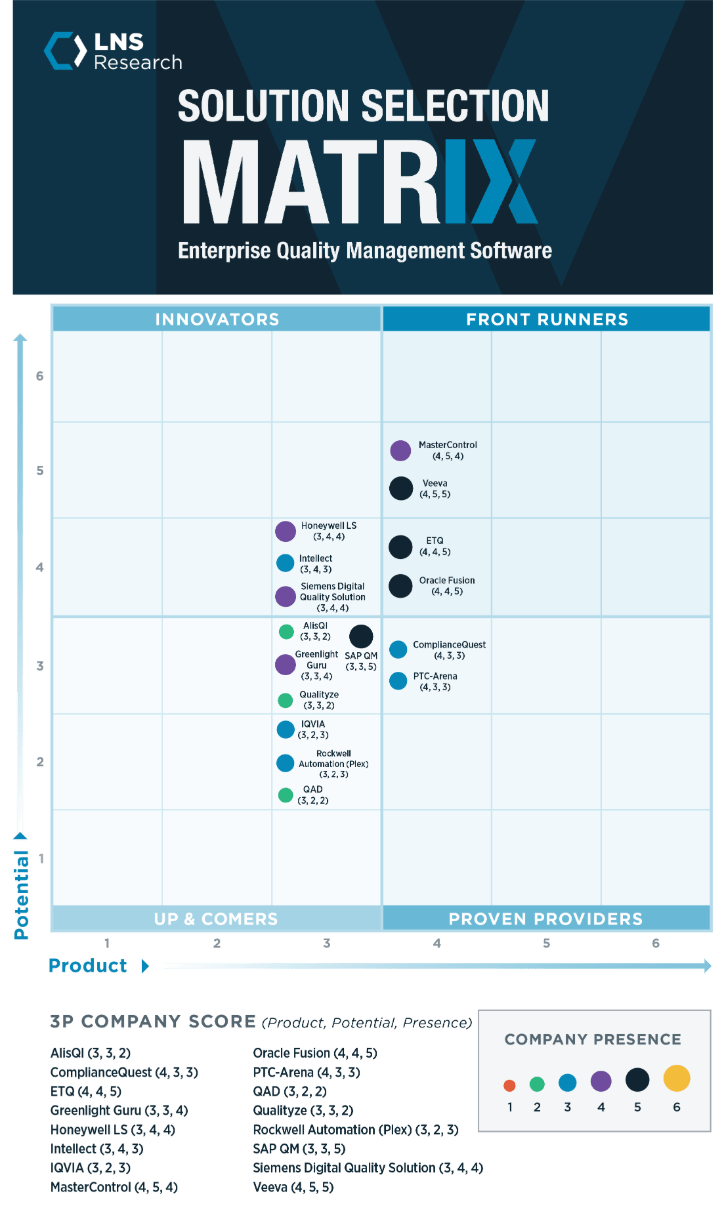
You can also checkout the Enterprise Quality Management Solution Selection Matrix from LNS Research for third-party reviews.
Important Caveats
Before we dive in, a few realistic expectations:
- No QMS solves organizational culture problems. While it can help you as you create one, a good QMS is design to enable the quality culture you already have in place.
- Implementation takes real effort. Even the most flexible platform requires thoughtful configuration, change management and stakeholder alignment.
- One size doesn’t fit all. Life sciences companies have different needs than automotive manufacturers. Your industry context matters.
- You’ll need executive buy-in. Modern QMS requires investment not just in software, but in the supporting infrastructure, training and process redesign.
The Core Features That Actually Matter
1. True Flexibility (Not Just “Configurable”)
Your QMS should adapt to your processes, not force you to contort your operations to fit rigid workflows.
Vendors who claim their systems are “flexible” or “configurable” sometimes mean “You can pick from these five pre-built workflow options.” That’s more of a multiple choice question than flexibility.
Real flexibility means:
- Drag-and-drop workflow customization that non-technical admins can manage
- Form and field configuration without writing code
- Business rules and logic you can modify as processes evolve
- Visual branding elements that match your company standards
Why it matters:
Organizations that spend years fine-tuning their quality processes shouldn’t have to rebuild them from scratch. The cost of changing your operations to fit software restrictions often exceeds the software cost itself — one major reason why systems end up as shelfware.
Our approach:
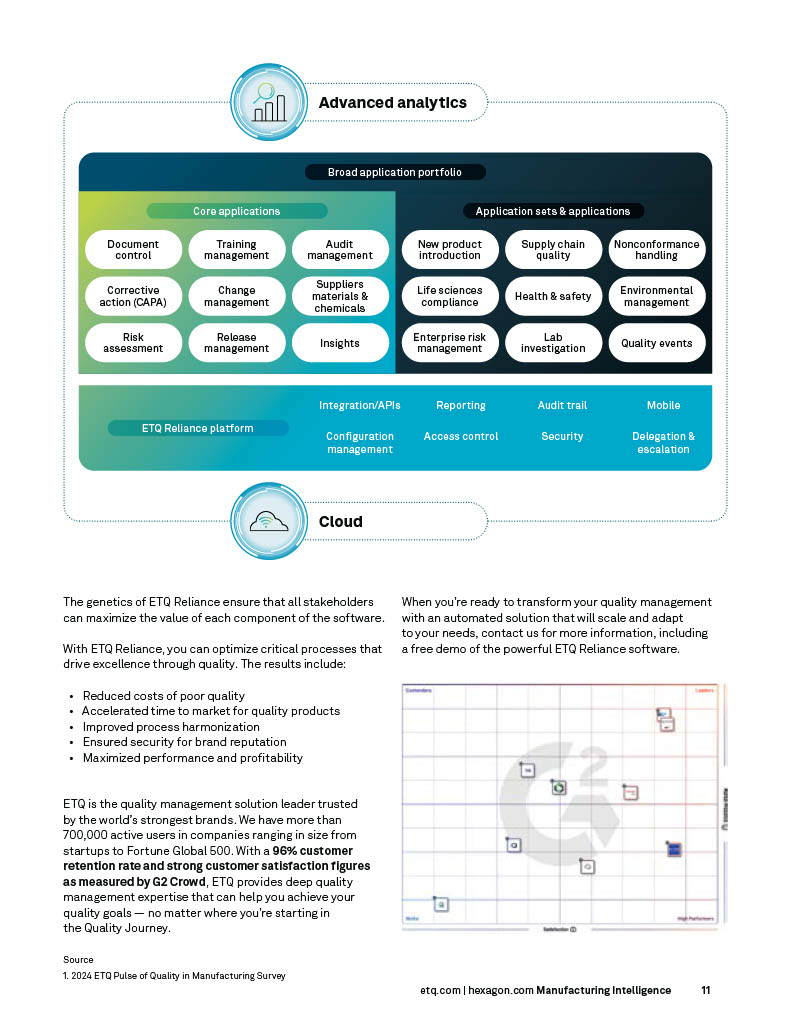
ETQ Reliance uses a truly configurable platform where quality managers can visualize, streamline and modify workflows using drag-and-drop tools. Need to add a parallel approval path? Create a new form section? Define different routing rules by risk level? You can do it without waiting for IT or vendor professional services.
By the way, when you’re evaluating flexibility, watch for these red flags:
- Vendors who require professional services for “minor” workflow changes
- Systems that limit you to a fixed number of form fields or workflow steps
- Platforms where customization means actual code development
2. Web-Based Architecture (Not Just Web-Enabled)
True web-based systems (SaaS) run entirely in a browser with no client-side installations. Web-enabled systems sometimes use middleware to fake it.
Web-enabled systems differ from web-based systems because they:
- Require installation on every computer
- Use third-party tools (Citrix, Adobe Forms, Java Applets)
- Create dependencies on external technology you don’t control
- Often cost extra for the middleware layer
Whereas with web-based systems, you can:
- Access everything through a standard browser
- Work on any device (desktop, tablet, mobile)
- Update automatically for all users
- Eliminate the “works on my machine” support nightmare
Why it matters:
Your quality team is on the shop floor, in supplier facilities, working from home and traveling to customer sites. They need seamless access from any device without IT needing to provision special software.
When speaking to vendors, use these questions to discern between web-enabled and web-based:
- “Can I access the full admin interface from a browser with no installations?”
- “Do you use a middleware provider, and what happens if your middleware provider (Citrix, etc.) discontinues the product?”
- “Do I need to install anything on mobile devices?”
3. Embedded Reporting and Analytics
A QMS should have powerful reporting tools built directly into the platform, not bolted on through third-party integrations.
Many vendors treat reporting as an afterthought. They’ll tell you to export data to Excel, or they’ll charge extra for Tableau integration or other reports.
Modern QMS analytics should provide:
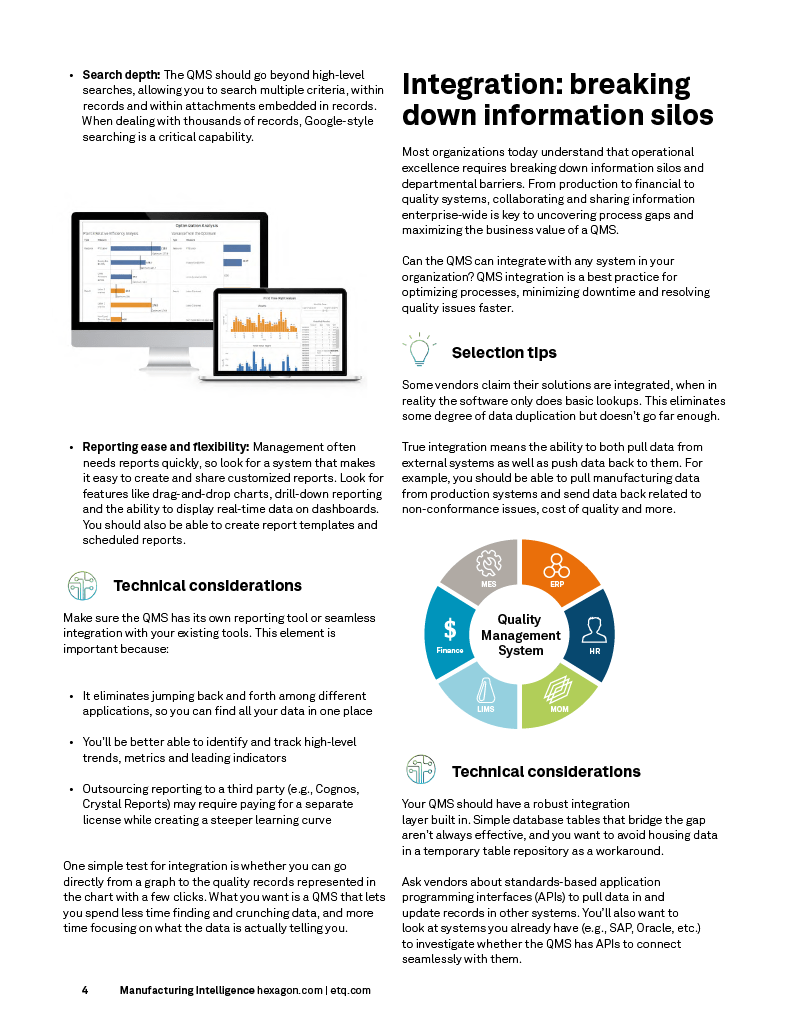
- Search depth with Google-style search across records, attachments and metadata
- Drag-and-drop visualizations you can use to build charts and dashboards without SQL knowledge
- Real-time data that lets you see current status, not yesterday’s data exports
- Drill-down capability where you can click from a trend chart directly into the underlying quality records
- Scheduled and automated reports that you set once and receive updates automatically
Why it matters:
Quality leaders spend hours manually compiling data for management reviews. That time should go toward analyzing trends and preventing issues, not wrestling with data extraction.
Our approach:
ETQ Reliance includes built-in reporting with configurable dashboards, automated report generation and drill-down from high-level metrics to individual quality records — all without requiring external BI tools.
When you request a demo, ask to see and test the following:
- Ask to see how you’d create a custom report for your specific use case
- Request they demonstrate drilling down from a dashboard widget to source records
- Confirm whether real-time data is truly real-time or refreshed overnight
4. Enterprise Integration Capabilities
Your QMS needs to both pull data from and push data to other enterprise systems — ERP, MES, PLM, LIMS and more.
Quality doesn’t exist in isolation. Your nonconformance records connect to manufacturing execution data. Your supplier quality issues link to procurement systems. Your document changes trigger training requirements in your HR system.
Integration must be bidirectional, which means:
- Pulling data in: Automatically import material data from ERP, production data from MES and customer complaints from CRM, etc.
- Pushing data out: Send quality holds to ERP, cost of quality to finance and compliance status to executives
Why it matters:
Manual data entry between systems creates delays, introduces errors and keeps quality data siloed from operational decision-making.
Our approach:
ETQ Reliance provides standards-based APIs (REST, SOAP) plus pre-built connectors for major ERP, PLM systems and more. Quality data flows seamlessly across the enterprise without custom development.
To evaluate the integration maturity of a QMS, ask the following:
- “Show me how a quality hold in your system would trigger an inventory hold in SAP.”
- “Can your system automatically pull supplier performance data from our procurement system?”
- “What happens when our MES system identifies an out-of-spec condition—does your QMS get notified automatically?”
5. Multi-Site Scalability
A QMS must support global/regional operations with site-specific processes while enabling enterprise-wide visibility and standardization. This is especially important if you have multiple facilities or plan to acquire companies.
When you think about scalability, you should think about the following abilities and features:
- Location-based administration where each site can customize workflows while corporate sets enterprise standards
- Centralized data with local access where sites work with their data and executives see the full picture
- Harmonized yet flexible processes that balance consistency with necessary local variations
- Roll-up reporting that enables aggregate quality metrics across all locations
Why it matters:
Many QMS implementations fail during multi-site rollouts because the architecture can’t handle distributed administration, location-specific requirements or enterprise reporting.
Because of this, you should avoid:
- Systems that require separate database instances per site (kills roll-up reporting)
- Manual data exports and imports between sites
- “Repository tables” as a workaround for poor multi-site architecture
Our approach:
ETQ Reliance uses location profiles and contextual awareness to support global operations from a single instance. Each site maintains local processes while corporate maintains visibility and governance.
6. User Experience That Drives Adoption
A QMS should be intuitive enough that users actually want to use it (or at least don’t actively resist it).
One of the most common causes of QMS implementation failure is user rejection. In fact, this is often the most common cause of any digital implementation.
If your quality team finds the system clunky, confusing or inconsistent with how they actually work, they’ll route around it. They’ll keep using Excel. They’ll do the minimum required to pass audit checks. They’ll leave for jobs where they don’t fight the software daily.
Once you know a QMS meets all the previous requirements we talked about, look at the user experience factors, such as:
- Customizable look and feel: Match your company branding and familiar internal systems
- Intuitive navigation: Users shouldn’t need a manual to find what they need
- Mobile accessibility: Support field work, supplier audits, shop floor access
- Minimal clicks: Complete common tasks in 3-5 clicks, not 15
- Contextual help: Guidance available in the interface, not buried in PDFs
Why it matters:
User adoption rates directly correlate with implementation ROI. A powerful system nobody uses is worthless.
To assess user experience and adoption rates, use the following questions:
- “What percentage of your team actually uses the system daily?”
- “What’s your biggest user adoption challenge?”
- “How much training did typical users need before they were productive?”
7. Vendor Stability and Quality Expertise
Your vendor should understand quality management as deeply as they understand software development.
This might sound obvious, but many QMS vendors come from a pure technology background. They build great software. They just don’t understand quality management processes, regulatory requirements or the realities of working in highly regulated industries.
We just talked about user adoption, which is important, but all the bells and whistles won’t be enough to make up for something that’s not built for the space.
When evaluating, make sure your vendor has the following:
- Industry experience with customers in your industry sector
- Regulatory knowledge, including the ability to discuss 21 CFR Part 11, ISO 13485, IATF 16949 requirements intelligently
- Implementation track record and how many successful deployments they have with companies like yours
- Customer retention rates; high retention signals customer satisfaction
- Financial stability and whether or not they’re funded for the long term
Why it matters:
You’re not just buying software — you’re entering a long-term partnership. Vendor bankruptcy, acquisition or product abandonment creates existential risks.
Our approach:
With 30+ years focused exclusively on quality management, ETQ brings deep domain expertise to every implementation. Our 96% customer retention rate reflects this focus on customer success.
Your Next Steps
Selecting an enterprise QMS is a significant investment — in budget, time and organizational energy. But getting it right accelerates quality improvement, reduces costs and establishes quality as a strategic advantage rather than a compliance burden.
We hope this list helps you make an informed decision. If you’d like to compare QMS vendors, you can download the complete LNS Research eQMS Selection Guide for an independent, analyst-driven evaluation of leading QMS vendors across the Product, Potential and Presence dimensions. The guide provides detailed vendor profiles and helps you identify which solutions best fit your specific requirements.
We also have two other assets to help you ensure your implementation is successful.
Review “How to select a quality management system: 7 key elements for successful implementation” to understand the critical technical considerations beyond just feature lists — including flexibility, integration and scalability factors that determine long-term success.
You can also explore the “4 Steps to Understanding the Quality Journey” to assess where your organization stands today and what capabilities you’ll need as your quality program matures.
We also advise you to schedule demos with your shortlist vendors and use the evaluation criteria from this article to test their claims. Yes, really. And while you’re at it, schedule one with us.
Don’t accept generic demonstrations — insist they configure your actual processes during the session.
The right QMS should make your quality team more effective, not more busy. It should enable strategic thinking, not just tactical compliance. And it should scale with your ambitions, not limit them.
We’ve been doing this for over 30 years, with global corporations and small- and medium-businesses. (We even made an option just for SMBs.) We want to be a trusted advisor along your path, so reach out even if you just want to ask a few questions.