| EtQ, Inc. is pleased to announce the release of EtQ Reliance™ 6.0.
EtQ Reliance is
a Web-based, enterprise
system for Quality and
FDA
Compliance Management.
EtQ Reliance 6.0 is built on EtQ's unique Flexible
Workflow Engine™, which allows the workflows, forms, sections, fields, reports, and even the look and feel to be configured without programming. Version 6.0 incorporates major enhancements designed to further automate Compliance and Quality Management Systems. Below is a sample of the new features available: |
|
| |
 |
|
|
 |
| |
| Managing an Enterprise system can be a difficult task, especially when coordinating the different needs of multiple divisions or sites, each with their own independent business processes. As an organization scales their business, data stored in different locations can easily become disconnected, resulting in information silos with data that is inconsistent from one place to the next, making it difficult for quality management or risk assessment software to provide you with accurate results. Furthermore, the ability to accurately report on and analyze data across the enterprise can be difficult, leading to disparate and incomplete reports from one site to the next. This lack of visibility can hinder corporate-wide continuous improvement initiatives and limits collaboration from site to site, affecting overall quality and compliance. Recognizing this challenge, EtQ has developed a tool that provides a centralized administrative console for managing multiple facilities. Called the EtQ Data Center, it enables EtQ Administrators to distribute ownership based on location, allowing for configuration of each location in a centralized application. The Data Center also segregates design elements and data, so users have access only to the information they need. EtQ's Data center is able to roll-up company-wide data into quantitative reports that show top compliance risks across each site within the enterprise, enabling continuous improvement initiatives that span the entire organization. |
|
Using the EtQ Data Center, Administrators can:
|
Manage users and groups based on location and department |
|
Configure the EtQ Portal options by location or by group, standardizing what applications and views users will see based on their level of access |
|
Define keywords by location, department or group across multiple sites |
|
Maintain a centralized application for all keywords and data, which can be modified without the need for Designer access |
|
Set security access levels to restrict administrators to their location and department |
|
Filter records in shared applications based on the user’s location and access level |
|
Easily and effectively roll up reports across multiple sites and departments using a single environment |
|
Set up a common list of data points to execute cross-facility reporting and analysis |
|
|
| Read
More about EtQ Data Center >> |
|
|
|
|
 |
|
|
 |
| |
As part of any Quality and Compliance initiative, the ability to complete projects on time and within budget is of key importance to managers. EtQ's Project Control module is designed to organize and automate the process of managing tasks, deliverables and activities within Quality of Compliance projects. Using the Project Control module, Managers are able to outline specific project, whether on an ad-hoc basis or using
pre-defined templates such as APQP, PPAP, Six Sigma and more. Using workflow and business rules, the EtQ Project Control Module aids managers in ensuring that the project is kept on track, and the full cost and impact of the project is recorded. |
|
| Read
More about EtQ Project Control >> |
|
|
|
|
 |
|
|
 |
| |
EtQ's Risk Assessment module calculates risk using a variety of techniques, updates risk at multiple points in the process, and displays risk mitigation history by event. Features the ability to integrate risk tables and risk charts within all of EtQ's modules, to identify key risk indicators. |
|
| |
|
Risk
Tables: EtQ Reliance Risk Assessment has the ability to integrate Risk tables into every form within EtQ Reliance, determining the risk level for all events within the quality system |
|
Risk
Chart: EtQ Reliance Risk Assessment has the ability to display Risk Charts, highlight the severity and frequency levels as well as the corresponding results. |
|
Risk
Report Views: Using EtQ Risk Assessment, you can create custom views of the top risks within your Quality system. |
|
|
|
| |
|
|
| |
>> |
|
|
|
 |
|
|
 |
| |
| The EtQ eValidator is a comprehensive set of commands that, when executed, will run validation test scripts automatically, and generate a full report of the results. Streamlining the validation process can have a tremendous effect on both a company's implementation time and personnel resources. Using eValidator to automate the validation process will cut a company's validation time by as much as 400% - a 4-day validation project can be done in less than one day. In addition, the eValidator can be run by a single employee, and can eliminate the extensive resources needed to dedicate to a typical validation project. Finally, eValidator is able to compile a comprehensive report library of all tests and scripts run on the system. When audited by the FDA or other governing body, the validation reports are immediately available for review. |
|
Using eValidator, you can:
|
Create requirements documents for each validation project |
|
Link test scripts to each requirements to build an online Traceability Matrix |
|
List affected settings and map settings to validation test scripts |
|
Automatically compile test scripts associated with a particular requirements group |
|
Automatically run test scripts to validate the system with a single click |
|
|
| Read
More about EtQ eValidator >> |
|
|
|
|
 |
Enterprise Reporting |
|
 |
| |
| EtQ’s robust centralized reporting includes over 40 chart templates out-of-the-box, but additional reports can easily be created using data within the system. Each report within EtQ's Centralized Reporting tool has the enhanced capability to drill down on any data point for further analysis. By simply click on the columns, bars, or data point, the report will "drill-down" and display the specific data analysis for any data filtered within the report. This drill-down functionality has the ability to filter down as many levels, up to the individual records that make up the report. |
 |
|
|
|
|
 |
|
|
 |
| |
Managing
quality and compliance tasks across the enterprise
can be a complex undertaking. Understanding this,
EtQ developed the EtQ Portal - a personalized application
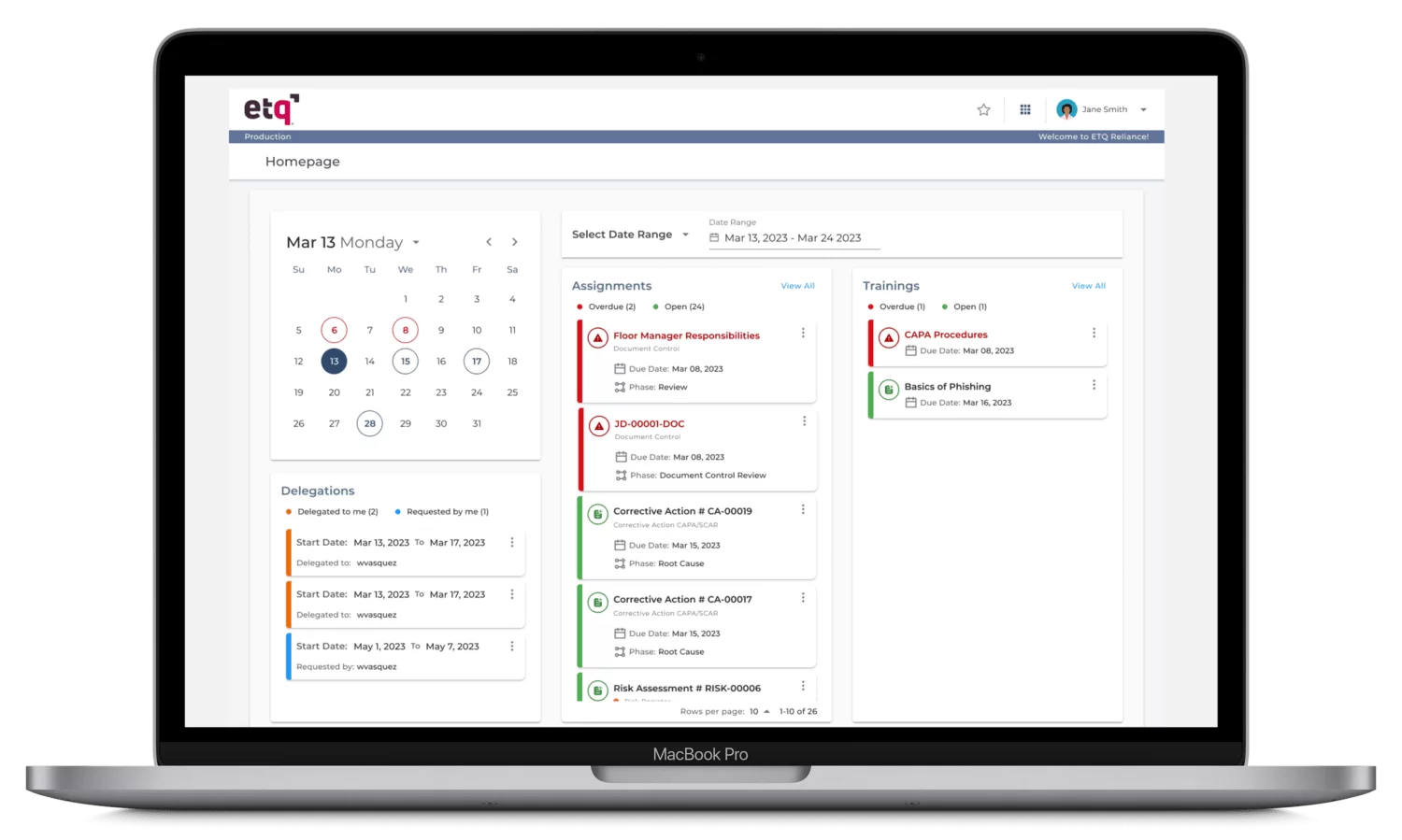
workspace. From the EtQ Portal, users can view all
their information in a single page, eliminating
the need to search for the records across different modules. |
|
| |
|
Personalized
Workspace: The EtQ Portal is
configured to display only the information
that is relevant to the user. |
|
|
My
Assignments: The EtQ Portal
displays all of the user's assignments,
from every EtQ module, in a single place |
|
|
Key
Performance Indicators: The EtQ
Portal can display pre-configured views
and charts, selected by each user. This
puts all the important information at
the user's fingertips. |
|
Favorite
Applications: The EtQ Portal
provides faster access to favorite/most
used applications for each user. |
|
|
| Read
More about EtQ Portal >> |
|
|
|
|
 |
Intuitive User Interface |
|
 |
| |
| The user interface in EtQ Reliance provides an intuitive and efficient way of viewing data and managing tasks: |
|
Tabbed
Browsing: Documents and reports open in separate tabs instead of opening multiple browser windows, providing better visibility of what's open and easier switching between records. |
|
|
Enhanced
Form Layout: Forms are laid out in an economical, intuitive format |
|
|
Redesigned
Home Page: The EtQ Reliance home page provides a centralized location for access to all applications and tools within the EtQ Reliance product. |
|
|
|
|
|
|
 |
EtQ Designer |
|
 |
| |
| With the
EtQ Designer, EtQ Reliance makes
the configuration process even easier. EtQ Designer
is an intuitive, graphical drag-and-drop interface
for creating and modifying workflows, forms, fields,
and reports. As a result, it reduces time
to implementation, and configurations can be performed much faster. Some major features
of the EtQ Designer include: |
|
EtQ
Workflow Builder: Build and modify workflows by dragging
and dropping phases into a graphical
representation of the workflow. Links
between phases are automatically created.
Access workflow and phase settings
by simply clicking on the appropriate
object.
|
|
|
EtQ
Form Builder: Create and modify forms by dragging
and dropping fields, sections, subforms and action buttons into the graphical representation
of the form. The field properties are
automatically set based on the selected
field type, and the database is automatically
updated without the need for defining
complicated database attributes. Access
form, field, section, subform and action button settings
by simply clicking on the appropriate
object
|
|
|
EtQ
View Builder: Create and modify report views by dragging
and dropping fields into the graphical
representation of the report view. The data
source is automatically created based
on the selected fields, without the
need to write complicated database queries.
Access report view and column settings by simply
clicking on the appropriate object.
|
|
|
|
|
|
|
 |
Other Enhancements |
|
 |
| |
|
Integration with the FDA's new eMDR Portal for the automatic submission of MDRs with information collected from the EtQ Complaints module and other sources. Enables Medical Device Manufacturers to electronically submit Medical Device Reports (MDRs) to the Food and Drug Administration (FDA). |
|
|
Automatic Conversion of File Attachments to PDF Format at specific phases in the workflow, with the option to hide the original editable file and have it reappear when a change is requested. The conversion is performed on the server and it works with any type of file. Ideal for securing documents and reducing the size of file downloads. |
|
| |
Automatic Print to PDF of any EtQ form or view, including the ability to print more than one PDF at once. |
| |
Print to PDF Full History Report: The Print PDF history feature enables all phases in the workflow, as well as linked activities, documents, records and events, to be converted into one PDF document. The benefit is that if an audit is conducted on the quality system, the auditor will be able to see the entire history of a quality-related event, in one comprehensive PDF record. |
| |
Server-Side MS Office Integration: The powerful MS Office Integrator technology is now available on the server, freeing you from installing and maintaining client configurations. It offers all the features of its predecessor, including bi-directional synchronization of fields, but with a cleaner display and much faster response times. |
| |
Upload and Download Multiple File Attachments at Once, including an auto-save feature that automatically uploads files the user has worked on since the last time the document was saved. EtQ features the ability to drag and drop multiple files and file types into EtQ's document control forms, making the process of document attaching much easier. This new feature is especially useful for managing multi-file documents such as CAD/CAM diagrams. |
| |
Advanced Integration between Document Control and Training Modules to automatically manage and update training requirements based on employee job positions. Options for completing requirements include scheduled courses and training quizzes that can be taken online prior to the release of a new document. Notification and reports are generated to ensure timely completion of requirements. |
| |
Enhanced Environmental Health & Safety modules: Release of new Environmental, Health and Safety modules to address such initiatives as ISO 14001, OHSAS 18001, OSHA and more. |
| |
EtQ Connector for SAP: The EtQ Connector for SAP enables direct calls to SAP BAPIs via the SAP Java API, or via third-party EAI tools. Calls can be scheduled or event-driven. The API includes methods for establishing connections and handling SAP data structures. EtQ integrates with SAP to accelerate the transfer of quality data to and from SAP and to eliminate gaps in the quality system. |
| |
|
|
Platform
Support: EtQ continues
to do more than any other
vendor to protect your existing
IT investments with broad
support for a multitude
of infrastructure technologies:
|
Browsers:
IE 5.5/6/7 and Mozilla
Firefox 1.5/2 |
|
Server
Operating Systems:
MS Windows 2003+,
Red Hat Linux, Sun
Solaris, HP UX, IBM
AIX, IBM AS/400 (iSeries) |
|
Application
Series: Apache
Tomcat 4/5, BEA WebLogic
9, IBM Websphere
5/6, Oracle AS 10g |
|
Database
Servers: MySQL
5, MS SQL Server
2000/2005, Oracle
9/10g, IBM DB2 |
|
|
|
|
|
|
|
|